Follow this article to receive email notifications when Optimizely Content Management System (SaaS) features are available for 2025. See also DXP release notes and the 2024 CMS (SaaS) release notes.
Recent enhancements
| Date released | Summary (see sections for details) |
| November 19 |
|
| November 10 |
|
| November 6 |
|
| October 27 |
|
| October 22 |
|
| October 17 |
|
| September 11 |
|
| August 25 |
|
| August 6 |
|
| July 23 |
|
| July 21 |
|
| July 3 |
|
| June 5 |
|
| May 15 |
|
| April 29 |
|
| April 16 |
|
| March 31 |
|
| March 19 |
|
| March 3 |
|
| January 23 |
|
| January 16 |
|
November 19, 2025
Bug fix
- CMS-47038 – Fixed the issue where the dropdown was not populated when an administrator accessing the settings page lacked an access token or claim for the DAM/CMP instance.
November 10, 2025
Enhancement
Added the ability to programmatically configure Visual Builder, letting content managers design, modify, and reuse layouts using experiences, sections, and elements, with templates and blueprints. See Configure Visual Builder in CMS (SaaS) and Create a blueprint to learn more.
Bug fix
- CMS-46155 – Fixed an issue where editing a TestSection block in Edit view could cause one of its property values to revert to its initial state. This fix ensures that all property values retain their edits as expected.
October 27, 2025
Bug fixes
- CMS-44328 – Fixed an issue where the Content ID, Created, and Modified fields in the Settings tab of form properties were not populating correctly after data submission and publication.
- CMS-43362 – Fixed an issue where the default error message for a required field validator was not displayed after re-enabling the validator in the form editor.
- CMS-45520 – Fixed an issue where the Modified date in the Content Type section did not update after adding a property.
- CMS-45691 – Optimizely Opal Chat is generally available to research, brainstorm, and edit content. See Optimizely Opal Chat for CMS (SaaS).
-
CMS-46144 – Fixed an issue where the Digital Asset Management (DAM) Tracking Scheduled Job was set to
DefaultEnabled = false, preventing automatic execution and requiring manual activation for DAM asset synchronization and tracking to function. - CMS-46191 – Fixed an issue where orphaned softlink references were not properly cleaned up from the tblContentSoftlink table when the associated content was deleted, leading to data integrity problems.
October 22, 2025
Enhancement
- Unified the error response format in the CMS API by aligning the Gateway's error responses with the CMS's Problem Details RFC format. This alignment excludes the oauth/token endpoint, which will continue to follow the OAuth standard per RFC 6749. Additionally, content negotiation with Accept: application/problem+json is recommended to ensure backward compatibility.
October 17, 2025
Enhancements
- The ability to translate content automatically using Google Translate AI is now generally available. You can automatically translate content by selecting Translate content using AI and clicking Add Language. See Translate content automatically with AI for more information.
- Added functionality that lets content editors upload and select assets unique to each application. When enabled, headless applications now generate unique URL segments to distinguish their assets, while in-process applications retain existing URLs.
- Enhanced search provider differentiation for Optimizely Graph and CMS.
- Improved logging and progress reporting for CMS content indexing to Optimizely Graph, providing clearer insights into job status, indexed document counts, skipped or failed items, and timestamps for each indexing step.
- Added scheduled publish date to the Versions gadget to make it easier to see when content is scheduled for publication.
Bug fixes
- CMS-45685 – Fixed an issue where deleting a content item that was referenced from multiple locations caused severe performance issues.
- CMS-40272 – Fixed the drag-and-drop issue that occurred when adding multiple assets to empty Link Collections or Content Areas.
October 1, 2025
Bug fix
- CMS-45685 – Fixed a bug where deleting a content item that was referenced from multiple locations caused severe performance issues.
September 22, 2025
Bug fix
- CMS-45292 – Fixed the issue where internal links were incorrectly identified as external in TinyMCE under certain hostname configurations.
September 11, 2025
Enhancement
- Disabled the
oauthtoken endpoint in the Integration API for SaaS preview3, since bearer tokens are now issued through the Gateway. This improves security and reduces redundancy. Customers do not need to take any action, and documentation remains unchanged. - Moved the GraphiQL UI and Reset Account settings under Settings > Data & Sync Management for better visibility and easier navigation.
Bug fixes
- CMS-40924 – Fixed the issue where Root Page and Trash were selectable in allowed types.
- CMS-41883 – Fixed an issue where the currently viewed content language did not appear in the Language drop-down list when users lacked edit permissions for that language
- CMS-43978 – Fixed the issue where the Display Name was null in the Forms settings view after activating Forms.
- CMS-44127 – Fixed an issue where the Quick Edit option was disabled after an autosave on a shared block.
- CMS-44352 – Fixed an issue where running Test Run with Error Log in Export Data did not complete and stalled indefinitely.
- CMS-44758 – Fixed an issue where adding an element to a newly created variation sometimes failed with the error Failed to add new element.
August 28, 2025
Bug fixes
- CMS-44758 – Fixed the Failed to add new element error that occurred when adding an element to a newly created variation.
August 25, 2025
Enhancement
- Added the ability to configure preview URLs in the Edit UI. The preview now respects the URL configured for the content type being edited; falls back to the base type if needed, and uses the default route when no specific configuration exists. Editors are notified if the preview is disabled for the configured application.
- Updated the Synchronize with Optimizely Graph to sync directly, bypassing the queue and skipping hash validation, allowing immediate content updates with Optimizely Graph. Previously, it used the
_streamendpoint, causing delays if the queue was long.
Bug fixes
- CMS-40562 – Fixed an issue where media in the 'For this page’ folder was not copied when you saved a section as a blueprint.
August 6, 2025
Enhancement
-
Added the ability to build one-step forms using Visual Builder. Create web forms for event registrations, job applications, customer surveys, and so on. The submitted data is stored, and you can export the data in different formats for analysis. See Create a form to learn how you can create a form similar to the following.
User documentation
Developer documentation
July 31, 2025
Bug fixes
- CMS-43064 – Fixed an issue where the Product Switcher menu intermittently overlapped with the CMS top Menu when switching between main views, such as Edit mode, Content Manager, and Settings.
- CMS-40099 – Fixed an issue where using Revert to published in Visual Builder did not reload the published content, causing the draft content to remain visible despite switching to the published version.
- CMS-43387 – Fixed an issue where the UI validation message for variation names incorrectly stated that dashes and dots were allowed, which caused confusion when the validation rejected those characters.
July 23, 2025
Enhancements
- Use Optimizely Opal Chat (now generally available) to research, brainstorm, and edit content. See Get AI assistance with Optimizely Opal.
- Made the DAM feature setting visible only for CMP indexing to ensure it does not appear to non-DAM customers.
- Included limited retries in the notification system for unsent messages, marking them as undelivered if retries are exhausted. You can track failed attempts and remaining retries with new fields in the notification table, ensuring unsent messages are managed efficiently by retrying at set intervals and logging failures.
Bug fixes
- CMS-41028 – Fixed an issue where copying and pasting unformatted text into a rich text editor would unexpectedly retain its original formatting, even when the paste option was set to unformatted.
- CMS-41642 – Fixed an issue where content items containing nested block lists were not saving data correctly upon publishing.
- CMS-41925 – Fixed the issue related to restricting Content Area Allowed Types.
- CMS-42516 – Fixed the issue where the inline block name was incorrectly HTML-encoded.
-
CMS-42629
– Fixed the issue where media URLs in the
XhtmlStringproperty within anInlineBlockwere saved incorrectly. - CMS-43085 – Fixed an issue where the property value could not be saved if its whole name was in uppercase letters.
-
CMS-43112
– Fixed an issue where the
netMappedIdentityGetById SPhad problems using the index properly. - CMS-43251 – Fixed an issue where subsequent attempts to edit the global block incorrectly opened it in Quick edit mode instead of Block edit mode.
July 21, 2025
Enhancement
- Added front-end hosting to make Optimizely your all-in-one solution for managing both your frontend and CMS in one platform. See Host a frontend with Optimizely.
- Deploy your front end in minutes
- Easy-to-use deployment interface
- Fully-managed infrastructure, including CDN & WAF
July 7, 2025
Bug fix
-
CMS-43323 – Fixed an issue where the
AutoCompletefield of form elements returned from the Content Graph had a numeric type instead of a string.
July 3, 2025
Enhancements
-
Embedded Digital Asset Management (DAM) in CMS to
centralize asset management, streamline workflows, and ensure consistent branding, improving collaboration and efficiency while reducing costs. See
Onboard DAM to CMS (SaaS)
and
Manage assets with DAM.
-
Introduced key enhancements to the Preview3 CMS API, improving usability, consistency, and maintainability.
Important: Optimizely recommends updating API calls from Preview2 to Preview3 as early as possible so that customers are properly prepared for Preview2 support to be changed as we evolve the platform.See the following for a high-level list of updates to the Preview3 API:
-
All Preview3 requests must now be authenticated through the API
Gateway and are routed through
https://api.cms.optimizely.com,
removing the
_cmsprefix for unified access. See this article for more information: Authentication and Authorization - Replaced all PUT endpoints with PATCH in the CMS Preview3 API for safer updates.
- Marked the Content and Changesets endpoints as experimental to enable updates and feedback. Customers using the Content and Changeset endpoints in Preview2 should continue to use them in Preview3, but must be aware that breaking changes are possible.
- Added optimistic concurrency checks to ensure that there are no collisions between updates made through the API and updates made with the UX.
-
Added new headers
cms-skip-validationandcms-permanent-deletefor Content endpoints, andcms-ignore-data-loss-warningsfor PATCH content type. -
Updated headers for better consistency, such as
opti-api-versiontocms-api-version. -
Expanded datatype support, such as
linkandrichText. - Simplified enums into arrays of value objects for richer metadata and future-proofing.
-
Applied
ProblemDetailsformat for clearer, structured error responses. - Updated so that keys are automatically assigned if not specified.
Example:
DELETE https://api.cms.optimizely.com/preview3/contenttypes/<key>
Authorization: Bearer <your_access_token>
Content-Type: application/json -
All Preview3 requests must now be authenticated through the API
Gateway and are routed through
https://api.cms.optimizely.com,
removing the
-
Added the ability to create variations of a content item with its own
publishing flow, so you can have multiple published variants of a content
item at the same time. See
Create content variations.
You may want to create a content variation aimed at optimizing content performance and user engagement. For example:
- A/B testing – Content variations test different versions of a page or content element to determine which performs better in terms of user engagement, conversion rates, or other key metrics.
- Personalization – Variations enable personalized content delivery based on user segments, demographics, or behaviors, leading to a more tailored and relevant user experience.
- Localization – Use different content variations for different languages or cultural preferences, ensuring content resonates with a global audience.
- Seasonal campaigns – Variations let businesses adapt content for seasonal promotions or campaigns without altering the original content structure.
- Content optimization – By experimenting with different headlines, images, or calls-to-action, businesses can optimize content to improve SEO and user interaction.
- Flexibility in content management – Variations provide content managers with the flexibility to iterate and innovate quickly, responding to market trends or user feedback without disrupting the original content.
-
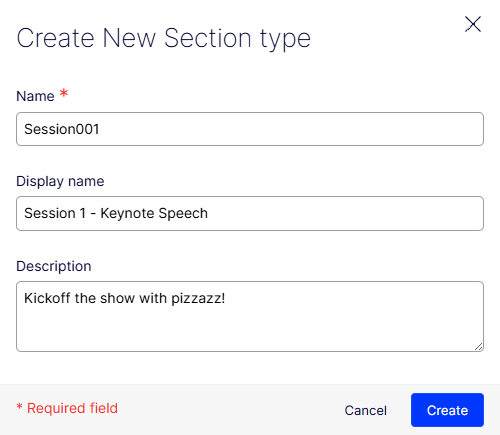
Added a section type to help organize your content in an experience type
in the Visual Builder. See
Create content types.
-
Added the ability to include a variation in the GraphQL queries (by adding
a generic filter variation:
{include: ALL}, or specify the variation key variation:{include: SOME, value: "WinterCampaign"}). - Updated preview tokens to be reusable and more convenient to use. Previously, preview tokens were issued for specific content references. Instead of validating the preview token's content reference with the currently routed content reference, you can now validate the preview token principal's permissions to the routed content.
-
Added the
layoutTypeon thecompositionfield of the graph format so that it is easier to understand the model.Example
compositionmodel wherelayoutTypeis added:{ "_metadata": { "key": "151A1E2E6358462FB3ABF0705FDCD03E", "locale": "en", "displayName": "My Experience" }, "composition": { "displayName": "My Experience", "key": "151A1E2E-6358-462F-B3AB-F0705FDCD03E", "type": "BlankExperience", "nodeType": "experience", "layoutType": "outline", "nodes": [{ "displayName": "Hero", "key": "6A953CCD-741A-4B1B-B6E5-562434DC3ED1", "type": "BlankSection", "nodeType": "section", "layoutType": "grid", "nodes": [{ "key": "FB554790-2871-45D7-9502-DA8B4CAD4B13", "nodeType": "row", "nodes": [{ "key": "DE42C8FB-AF10-4D31-8C16-CE12EB03B35D", "nodeType": "column", "nodes": [{ "key": "6ED087C6-7504-45AC-9295-6AD568978EFF", "type": "HeadingElement", "nodeType": "component", "component": { "_metadata": { "displayName": "Heading", "locale": "en" }, "Heading": "My Heading" } }] }] }] }] } }
Bug fix
- CMS-41525 – Fixed the enabling of the Create button when you tried to create an inline block without entering a value.
June 18, 2025
Bug fixes
- CMS-42617 – Fixed the issue with the system folder content types, which are visible and editable in the admin center.
- CMS-41785 – Fixed the issue that occurs after clicking Revert; the application fails to revert to the old value of the Start page, leaving it unchanged.
- CMS-42311 – Fixed an issue where you could not export content items from CMS after changing the global serializer options.
-
CMS-39673 and CMS-42339 – Fixed an issue where unhandled exceptions occurred when accessing a content instance from
ContentDataStorecould lead to the edit UI remaining in a loading state.
June 5, 2025
Enhancements
-
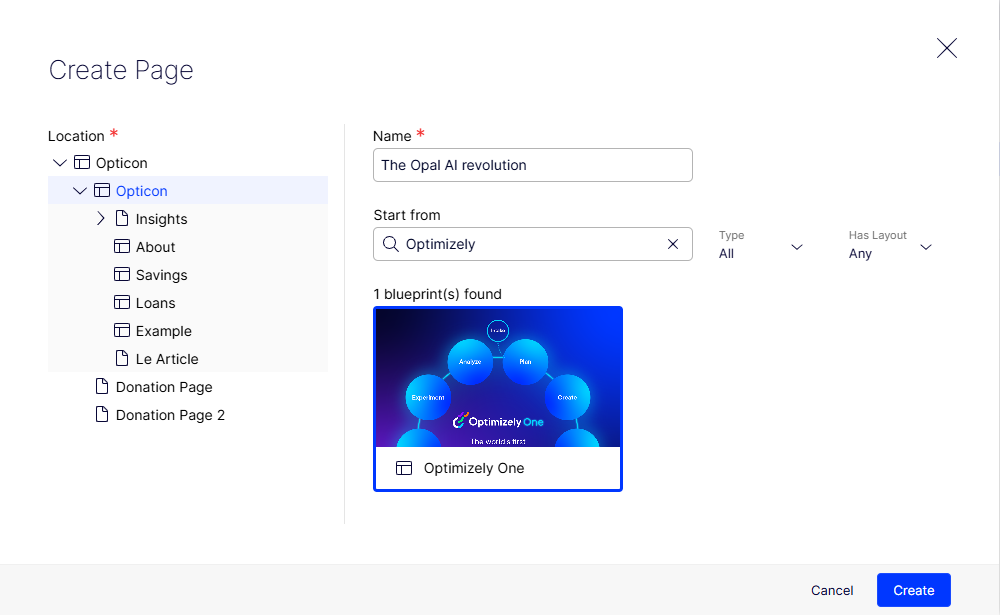
Added the ability to create pages (experiences) from Content Manager.
See
Create a page.
- Added the ability to extract media content (searchable text) during file upload instead of during indexing. This improves indexing efficiency, faster search availability, and reduced system load.
Bug fixes
- CMS-41655 – Fixed an issue where the minimum and maximum constraints of the last number property in a content overrode the constraints of other number properties.
- CMS-41319 – Fixed an issue where you could not drag and drop contents where their content types are created from Settings.
-
CMS-41856 – Fixed an issue where expiring content Now in conjunction with the setting
ContentVersionSynchronizationModeset toContentVersionSyncMode.PublishedOnlydid not work in Optimizely Graph. - CMS-42169 – Fixed an issue where the feature flag prevented page content areas within other content areas from being expanded or embedded is too restrictive. It also prevented the embedding of content are item properties.
May 23, 2025
Bug fixes
- CMS-39667 – Fixed an issue where the user could not compare versions of a page.
- CMS-42169 – Fixed an issue where the feature flag prevented page content areas within other content areas from being expanded or embedded is too restrictive. It also prevented the embedding of content are item properties.
May 15, 2025
Usage and billing
Effective May 7, 2025, access to Optimizely Opal features across Content Marketing Platform, Web Experimentation, Feature Experimentation, Personalization, Content Management System (SaaS), Collaboration, and Optimizely Data Platform will transition to a credit-based usage and billing model. For a full list of Optimizely Opal features, see Optimizely Opal and AI features.
Enhancement
-
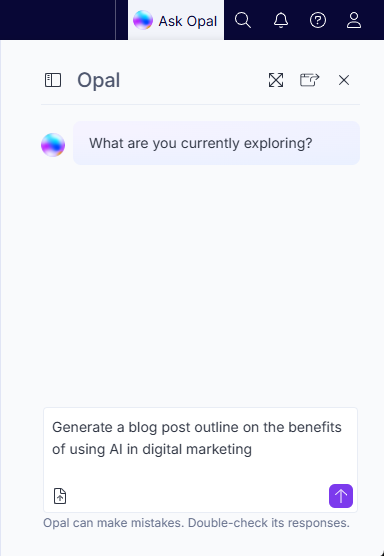
Added Optimizely Opal (advanced AI assistant) as a beta program. See Get AI assistance with Optimizely Opal.
May 5, 2025
Usage and billing
Effective May 7, 2025, access to Optimizely Opal features across Content Marketing Platform, Web Experimentation, Feature Experimentation, Personalization, Content Management System (SaaS), Collaboration, and Optimizely Data Platform will transition to a credit-based usage and billing model. For a full list of Optimizely Opal features, see Optimizely Opal and AI features.
April 29, 2025
Enhancement
- Updated the TinyMCE version to version 7.
-
Changed the sort order rule to sort by the sort index when creating content.
You can sort content by their sort order index:
query SortedContent {
  _Content(orderBy: { _metadata: { sortOrder: DESC } }) {
    items {
      _metadata {
        displayName
      }
    }
  }
}
Drag and drop content in the content tree to enable sorting by index on old content. You may have to update your schema for
sortOrderto be available. If it is not available, run the full sync job.
Bug Fixes
- CMS-41382 – Fixed an issue where a stack overflow can happen if an inlined block has circular references to content.
- CMS-40382 – Fixed an issue of unresponsive left and right arrow keys when you edited content names.
-
CMS-40744 – Fixed an issue where you could not drag and drop allowed content to the
ContentReferenceproperty.
April 16, 2025
Enhancement
-
Added the Optimizely Digital Asset Management (DAM) asset picker that lets you browse and select assets from your DAM instance within CMS (SaaS). Additional permissions are required to add assets to the DAM.
See the following product documentation.
- User – DAM assets
- Developer – Onboard DAM to CMS (SaaS)
April 11, 2025
March 31, 2025
Enhancements
-
Added Content Manager that displays content (pages, assets, and media) in a table structure that lets you filter, search, and sort to quickly get to the content you want.
-
Replaced the API Clients tab in Settings
with the API Keys tab. See
API Keys.
Former API Clients view:
New API Keys view
-
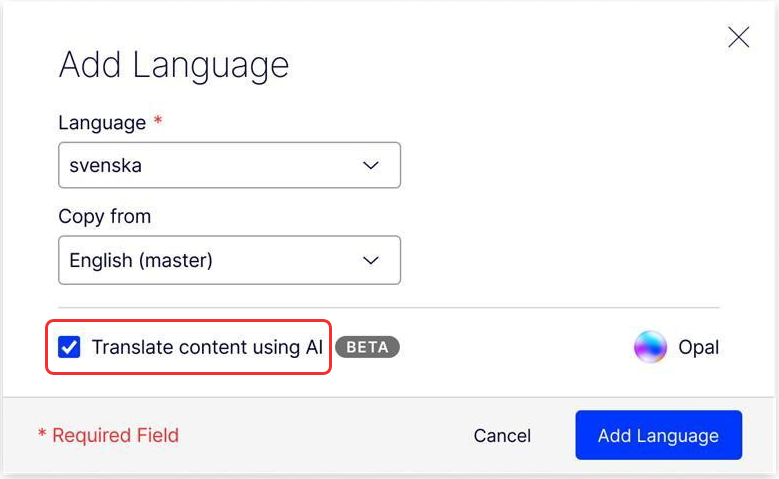
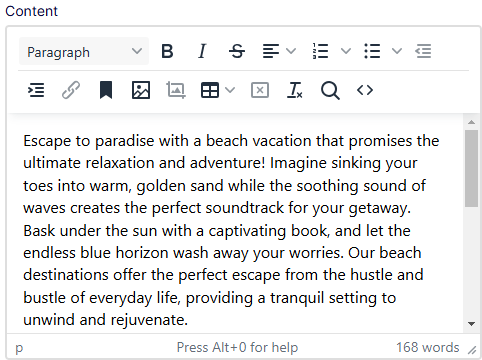
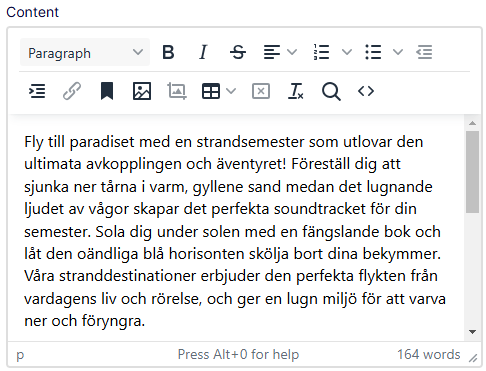
[Beta] Translate content automatically using Google Translate AI by selecting
Translate content using AI and clicking
Add Language. See
Translate content automatically with AI
in Translate content into other languages.
-
Improved the labeling with the following name changes:
- In filter – Content type was renamed Base type
- In table – Content type was renamed Base type
- In base type column and filter – Empty value was renamed Undefined
Bug Fixes
-
CMS-39978 – Fixed the index to exclude NULL values because the most common value for
tblContent.ArchiveContentGUIDis NULL, which made the existing index quite ineffective. -
CMS-40288 – Fixed an issue where the Remaining Path from a permanent link URL was omitted when indexing content from the following affected property types:
Link itemLink item collectionUrlXhtml
March 19, 2025
Enhancements
-
Enhanced the Import Data view in the Settings to prevent potential timeout issues when importing large files (several gigabytes or more) or when the import HTTP request lasts for an extended duration.
-
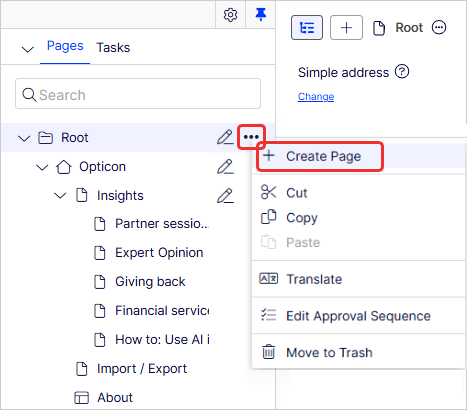
Consolidated the Add Page and Create Experience dialog boxes into one Create Page dialog box to create content in the content tree.
-
Moved functionality that previously lived in the top area of All Properties view to the following areas:
- Moved to Settings tab:
- Name in URL
- Simple address
-
ID, type – Now Content type.
-
Moved to Publish button:
- Manage Expiration
- Permanently Mark as Being Edited
- Access Rights (formerly Visible to)
-
Languages – Moved to Language selector.
-
Edit name – You can edit the name directly with double-click or Edit name.
- Moved to Settings tab:
- Added highlighting to the Visual Builder preview.
-
When you click an editable field in the left panel, that field is highlighted in dark blue in the preview, with the name of the field displayed.
-
When you click a field in the preview, it turns that highlight to dark blue, and the left panel jumps to that field and autofocuses on it so you can start typing without needing to tap into the field on the left.
-
Bug fixes
- CMS-39416 – Fixed an issue where you could not open the page tree while viewing Trash with the Navigation panel unpinned.
-
CMS-39932 – Fixed an issue in subcategories that included
&nbps;instead of a space when you created an audience with a Site Criteria on Visited category. -
CMS-39902 – Fixed an issue where registering a custom
IConstructorParameterResolverto handleContentDataconstructors with one or more parameters would always result in aMissingMethodExceptionwhen instances of the content type were constructed. - CMS-39969 – Fixed an issue where the editor received a bad request from the activity or controller when selecting multiple project items.
-
CMS-39973 – Fixed an issue where
AllowedTypeswas not applied when a content type name was similar to a base type name. - CMS-40011 – Fixed an issue where the focus did not remain on the link editor in the bottom of a block.
- CMS-40067 – Fixed the issue where drag and drop functionality does not work if the block's display name contains spaces.
March 3, 2025
Enhancement
-
Added support to use an instance of a shared block as a section in an experience.
Bug fixes
- CMS-39478 – Fixed an issue where Allowed Content Types did not map correctly to target GUIDs when importing.
-
CMS-39902 – Fixed a threading issue in
EditorDescriptors. - CMS-39447 – Fixed an issue where the preview of shared blocks did not function properly.
- CMS-39597 – Fixed an issue where images were not sorted alphabetically under the For All Sites folder.
February 12, 2025
Bug fixes
- CMS-39424 – Fixed an issue that used the wrong locale in the preview URL when you created a draft version of the content in a language that was not the default language.
- CMS-37722 – Fixed an issue that occurred when you switched selections between New, From Existing, and New before creating an application.
- CMS-39398 – Fixed a site unresponsive issue that occurred when you changed a ContentType property type from ContentArea to ContentAreaItem and the ContentArea had more than one inline block.
- CMS-34554 – Fixed an issue where the quick navigator rendered only for the default authentication scheme (instead of the specified authentication scheme) when you used mixed-mode authentication.
January 23, 2025
Enhancement
-
Blocks was renamed to Shared Blocks in the user interface.
Bug fix
- CMS-38391 – Fixed an issue that did not display an error message when you input an invalid value of a URL to an external property in Visual Builder.
January 16, 2025
Enhancement
- Added interactions that ease navigation and improve pagination across CMS. You can now define page size, skip to a particular page, and see the number of pages present.
Bug fix
- CMS-39053 – Fixed an issue where the GUID column was not defined when you tried to convert pages that included a content area property. This caused the exception: Invalid column name GUID.
January 10, 2025
Bug fix
-
CMS-38772 – Fixed an issue that returned an error of value is not an instance of Date because increased date precision in CMS led to serialization problems for
DateTimevalues in content metadata.

Please sign in to leave a comment.